
WHOIS Status Codes Explained: What Each EPP Status Means and When to Worry
WHOIS status codes explained: what clientTransferProhibited, clientHold, serverHold, redemptionPeriod and pendingDelete mean — and when to worry.
WHOIS status codes are the most useful — and most ignored — lines in a WHOIS record. They're EPP (Extensible Provisioning Protocol) statuses set by either your registrar (client*) or the registry (server*), and they tell you precisely what state a domain is in: locked, on hold, mid-transfer, or five days from being deleted forever. If you only learn to read one part of a WHOIS record, make it this one, because a status code is often the earliest external signal that something has gone wrong with a domain.
Here's what they look like in the wild:
whois example.com

   Domain Name: EXAMPLE.COM
   Registrar: RESERVED-Internet Assigned Numbers Authority
   Updated Date: 2025-08-14T07:01:34Z
   Creation Date: 1995-08-14T04:00:00Z
   Registry Expiry Date: 2026-08-13T04:00:00Z
   Domain Status: clientDeleteProhibited https://icann.org/epp#clientDeleteProhibited
   Domain Status: clientTransferProhibited https://icann.org/epp#clientTransferProhibited
   Domain Status: clientUpdateProhibited https://icann.org/epp#clientUpdateProhibited
   Name Server: A.IANA-SERVERS.NET
   Name Server: B.IANA-SERVERS.NET
Three statuses, all client*, all prohibitions. For a stable production domain, that's exactly what you want to see.
client vs server: who set the status
The prefix tells you who applied the code:
client*— set by the registrar, usually at your request or as a default. You (or your registrar's dashboard) can typically change these.server*— set by the registry, above the registrar. You cannot remove these yourself; they usually indicate either premium protection (registry lock) or a serious problem (legal dispute, abuse complaint, UDRP proceedings).
A server* prohibition you didn't pay for deserves immediate investigation.
The WHOIS status codes that matter
| Status code | Set by | Meaning | Worry level |
|---|---|---|---|
ok | Registry | No restrictions at all — including no transfer lock | Low, but suboptimal: the domain is unlocked |
clientTransferProhibited | Registrar | Transfers to another registrar are blocked | None — this is good. It's your main anti-hijack defence |
clientDeleteProhibited / clientUpdateProhibited | Registrar | Deletion / record changes blocked at the registrar | None — standard lock hygiene |
clientHold | Registrar | Domain removed from the DNS zone — it stops resolving | High. Usually unpaid renewal, unverified registrant email (ICANN verification), or abuse |
serverHold | Registry | Removed from the zone by the registry itself | Very high. Legal action, abuse, or registry compliance — escalate immediately |
serverTransferProhibited etc. | Registry | Registry-level locks | Fine if you bought registry lock; alarming if you didn't |
pendingTransfer | Registry | A transfer to another registrar is in progress | High if you didn't initiate it — possible hijack attempt, reject it fast |
autoRenewPeriod | Registry | The domain expired and was auto-renewed by the registry; the registrar can still reverse it | Medium — renewal payment may not have actually gone through |
redemptionPeriod | Registry | Deleted by the registrar; 30-day window to restore for a fee | Very high — recovery costs $80–$200+ and the clock is running |
pendingDelete | Registry | Final 5 days before the domain is purged and drops | Critical — unrecoverable. Prepare to re-register at the drop |
inactive | Registry | No nameservers delegated — the domain can't resolve | Medium — fine for a just-registered domain, wrong for anything live |
addPeriod / renewPeriod / transferPeriod | Registry | Short grace windows after registration / renewal / transfer | None — informational |
The ones that mean "act today"
clientHold is the status we see most often in real incidents. The domain is still registered to you, but the registrar has pulled it from the zone — site down, email bouncing. The two usual causes are a failed renewal payment and ICANN's registrant email verification: change your WHOIS contact email and ignore the verification message for 15 days, and the registrar is obliged to suspend the domain. The fix is usually quick once you know, which is rather the point — most people find out from customers instead of from WHOIS.
redemptionPeriod and pendingDelete mean the expiry process is in its endgame. Redemption is recoverable at a price; pending delete is not. Details in our redemption period deep dive.
pendingTransfer on a domain you didn't try to move is the signature of a transfer-out you should be rejecting — whether that's a hijack attempt or a colleague acting without telling anyone.
The quiet red flag: ok
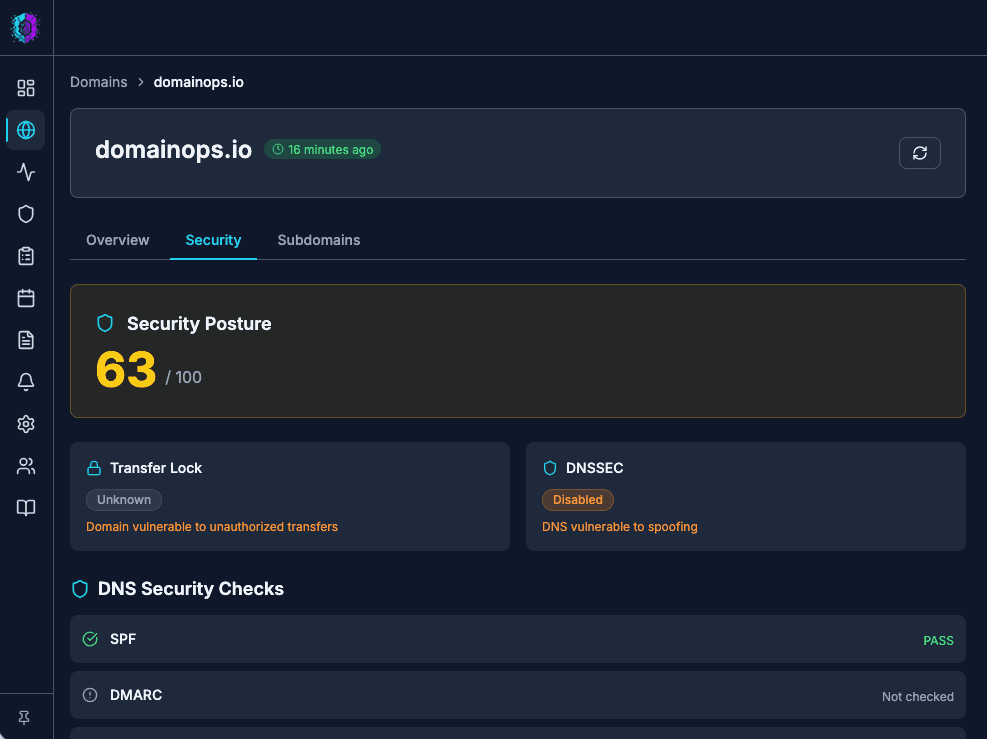
Counter-intuitively, a bare ok status isn't great news. It means no restrictions — including no clientTransferProhibited. An unlocked domain can be transferred away by anyone who obtains the auth code, and unlocking is step one of every domain hijack and most renewal-scam transfers. Production domains should carry the full set of client prohibitions; ok should only appear briefly, while you're deliberately transferring a domain.
Multiple statuses are normal
Domains routinely carry several codes at once — the three client* prohibitions together are standard, and a domain mid-expiry might show clientHold alongside clientTransferProhibited. Read them as a set: locks plus nothing else is healthy; locks plus a hold or a pending state is a domain telling you its story.
Watching status codes at scale
Checking one domain's status is a ten-second whois. Checking fifty domains weekly is a chore nobody actually does, which is why status changes — a lock silently dropped, a clientHold applied overnight, a pendingTransfer nobody requested — go unnoticed until something breaks. Status codes change for reasons; the change is the alert.
DomainOps tracks WHOIS status codes alongside expiry dates for every domain it monitors and flags changes the next time it checks — and if you want a quick one-off sweep of a list right now, the free bulk WHOIS checker will show status and expiry for a whole portfolio in one pass.